This tutorial was written by Katherine Walden, Digital Liberal Arts Specialist at Grinnell College.
This tutorial was reviewed by Sarah Purcell (L.F. Parker Professor of History) and Gina Donovan (Instructional Technologist) at Grinnell College, and edited by Papa Ampim-Darko, a student research assistant at Grinnell College.
This tutorial is adapted from the Programming Historian’s Topic Modeling and MALLET tutorial.

Introduction to Topic Modeling is licensed under a Creative Commons Attribution-NonCommercial 4.0 International License.
———-
As the authors in Exploring Big Historical Data point out, “Keywords have their limitations, in that they require us to know what to search for” (113). As an alternative, topic modeling builds a list of significant terms by calculating what terms, phrases, clusters, etc. are significant or occur frequently within a text.
In this tutorial, we will introduce topic modeling using digital tools that represent the types of technical interfaces historical scholars use in their research. Across these digital tools, we will be using the process Underwood describes for topic modeling:
“You assign words to topics randomly and then just keep improving the model, to make your guess more internally consistent, until the model reaches an equilibrium that is as consistent as the collection allows” (Underwood, quoted on page 119)
Exploring Big Historical Data: Chapter 4
GUI Topic Modeling Tool (GTMT)
As we’ll explore later in this tutorial, the more robust topic modeling tools can sometimes have a steep technical learning curve. The Topic Modeling Tool in a Google Code repository provides a graphical user interface for preliminary topic modeling. The project was created in 2011 through a Institute of Museum and Library Services grant and was developed by Yale University, the University of Michigan, and the University of California, Irvine. The GUI Topic Modeling Tool is built on the MALLET toolkit.
Data
Navigate to https://sarahjpurcell.sites.grinnell.edu/digital_methods/files/Equiano_Text.txt in a web browser and save the “Files” compressed zip folder to your Desktop.
Extract the folders contents.
Launching GTMT
GTMT is already installed on the computers in our classroom.
To use it on your own computer, go to the GitHub page, download the Mac or Windows version, and follow the installation instructions.
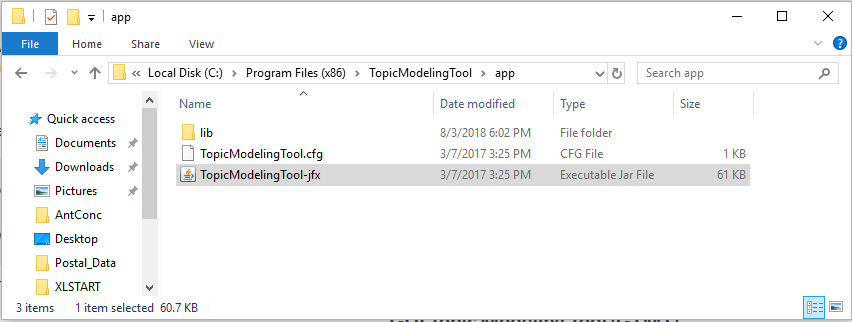
Navigate to C:\Program Files (x86)\TopicModelingTool\app in File Explorer, and double click on the TopicModelingTool-jfx file to launch the program.
Importing and Analyzing Data
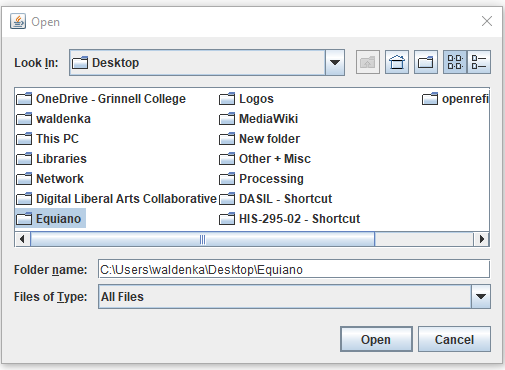
1-Click the Input Dir… icon and select the folder where the Equiano text file is located.
2-Click the Output Dir… icon and create a folder on the Desktop named Topic Modeling. Select this folder as your Output Directory.
3-Click the Learn Topics icon to topic model the source text.
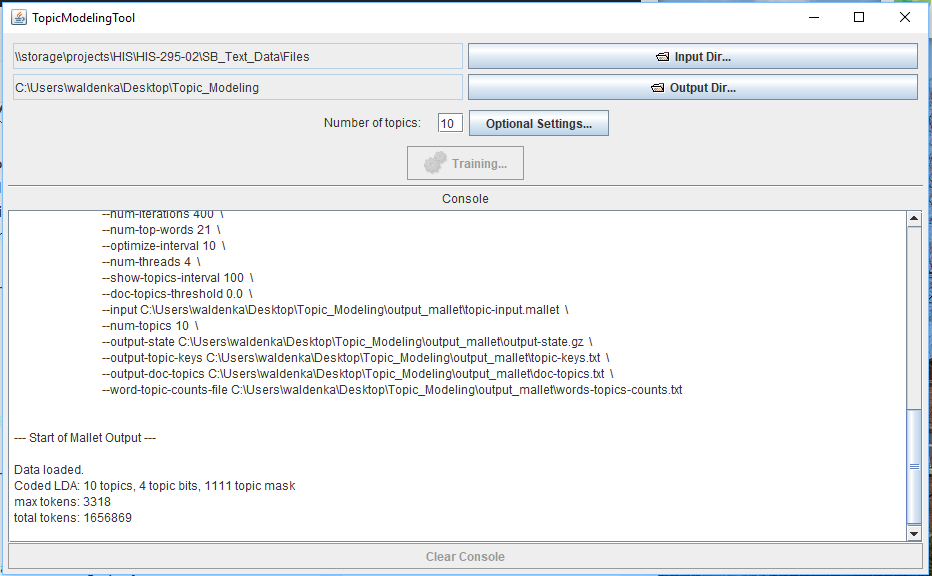
4-What you see happening in the Console is the back-end work the MALLET tool does to generate the topic models.
5-Once modeling is complete, the locations for output files is the folder you selected as Output Dir… The full file path for the output files is listed under **Generating Output** in the Console.
Exploring Results
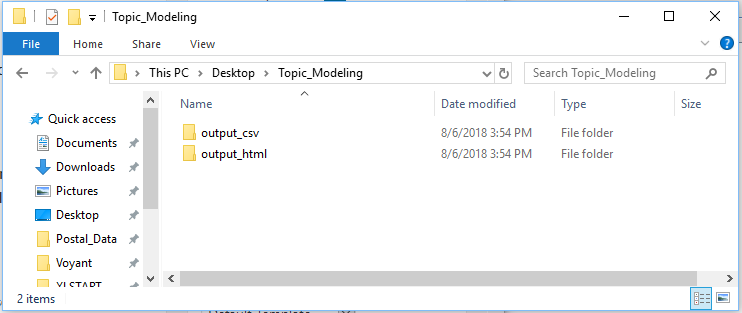
6-Open File Explorer and navigate to the folder you selected as the Output Directory. In that folder, you have the results of your topic modeling as CSV and HTML files.
7-Click on the output_html folder.
8-The Docs folder contains an HTML file with topic modeling for each individual document contained in the Input Directory folder. All_topics is an HTML file that provides the list of topics. The Topics folder contains an HTML file that lists how many times a specific topic appears in each document.
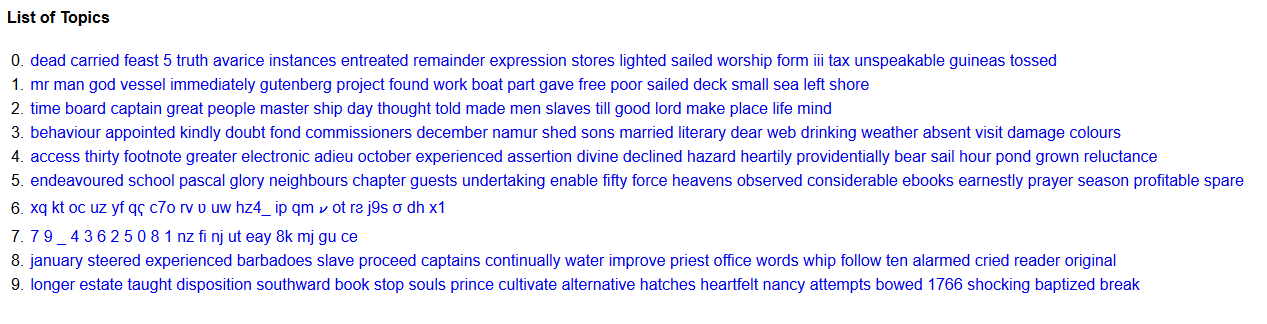
9-Open the all_topics HTML file.
10-Based on your existing knowledge of the source text, how accurate or expected/believable are these topics? What terms or topics surprise you? What terms or topics are absent that you think might be significant?
11-Open the output_html folder and open the HTML file for a specific topic.
12-Based on your knowledge of the source text, are you surprised by the distribution of this topic or where it appears in the text? What questions do you have about the results for this topic?
13-Open the output_csv folder. The topics-words CSV includes the list of topics generated from the GTMT.
14-The topics-in-docs CSV file is organized by document and lists the topics that appear in each document. The docs-in-topics CSV file is organized by topic and lists the documents that include each topic.
15-Open both CSV files. How does the organization of information compare across the two table structures? How is the presentation of information in the CSV files different than your experience with the HTML files? What questions do you have about the information contained in the CSV files?
16-How useful did you find the GTMT for enriching your understanding of the text?
Additional Exploration
- Change the number of topics generated by the GTMT and compare results. How did changing the number of topics change the topic modeling structure?
- Click on the Optional Settings icon to see additional customization options for the GTMT, like adding a list of stopwords and changing the number of topic words to print.
Reflection questions
- How do the results in these files compare to what you were seeing in the CLI?
- How does the topic modeling data impact your understanding of the text?
- What questions do you have about the output data from MALLET?
- How does your experience using MALLET with the CLI compare with using the GTMT?
- Where would you go next with topic modeling this text?
Topic Modeling in Historical Research
In our tutorials on mapping and spatial analysis, we looked at Cameron Blevins’s historical research that uses U.S. postal service data. In another research project, Blevins uses topic modeling to better understand 27 years of diaries written by 18th century New England midwife Martha Ballard (who we also studied through the documentary about Laurel Thatcher Ulrich’s work).
Visit Blevins’s personal site and read his blog post titled “Topic Modeling Martha Ballard’s Diary.”
Reflection questions (think about theses, and talk with your group):
- Why does Blevins see topic modeling as a useful research methodology for analyzing Ballard’s diaries?
- What does Blevins have to say about the results MALLET generated?
- How does Blevins connect MALLET’s calculations to an argument about the historical meaning and significant themes in Ballard’s diaries?
- Based on your own experience and Blevins’s project, in what ways do you see topic modeling as a useful digital approach for historians?
- What types of historical research questions might topic modeling help researchers address?
- What types of data or research questions might not be a good fit for topic modeling? And why?
